
What is the Admin Console in Pegasus?
Manage your organization's settings and data in Pegasus from the Admin Console. Users can use the Admin Console to:
-
Add Company logos, branding, and contact information
-
Manage billing settings, subscriptions, licenses, and view invoices
-
Manage users, roles, groups and project access
-
Cross-project reporting for your entire organization for projects, field reports, and employee time reprots.
-
Beta: cross-project insight reports for the average bid price for a contract item used on multiple projects
-
Manage your data and list options available throughout Pegasus
Rules
User must be assigned the Owner or Admin Account Role to access the Admin Console.
Navigating to the Admin Console
The Admin Console can be accessed from anywhere while using Pegasus.
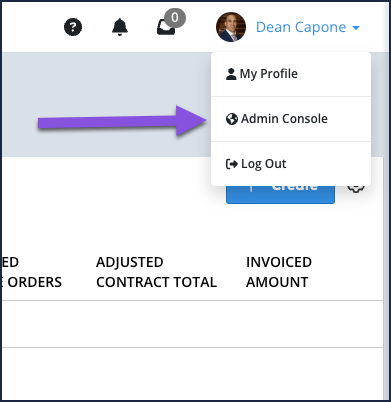
From the toolbar at the top of the page select your name and then select Admin Console from the dropdown menu.