
Copyright (c) 2023, Intercom, Inc. (
[email protected]) with Reserved Font Name "Montserrat". This Font Software is licensed under the SIL Open Font License, Version 1.1.Copyright (c) 2023, Intercom, Inc. (
[email protected]) with Reserved Font Name "Inter". This Font Software is licensed under the SIL Open Font License, Version 1.1. Table of contents How to Copy a Daily Construction Report

Save time by duplicating one of your Daily Construction Reports
Updated over 2 years ago Table of contentsDaily Construction Reports can be tedious, we know, however they are necessary. Save yourself some time and duplicate a previously created report. When you copy a report, the following information will be duplicated:
-
Description of Work
-
Workforce
-
Equipment
Description of Work
Workforce
Equipment
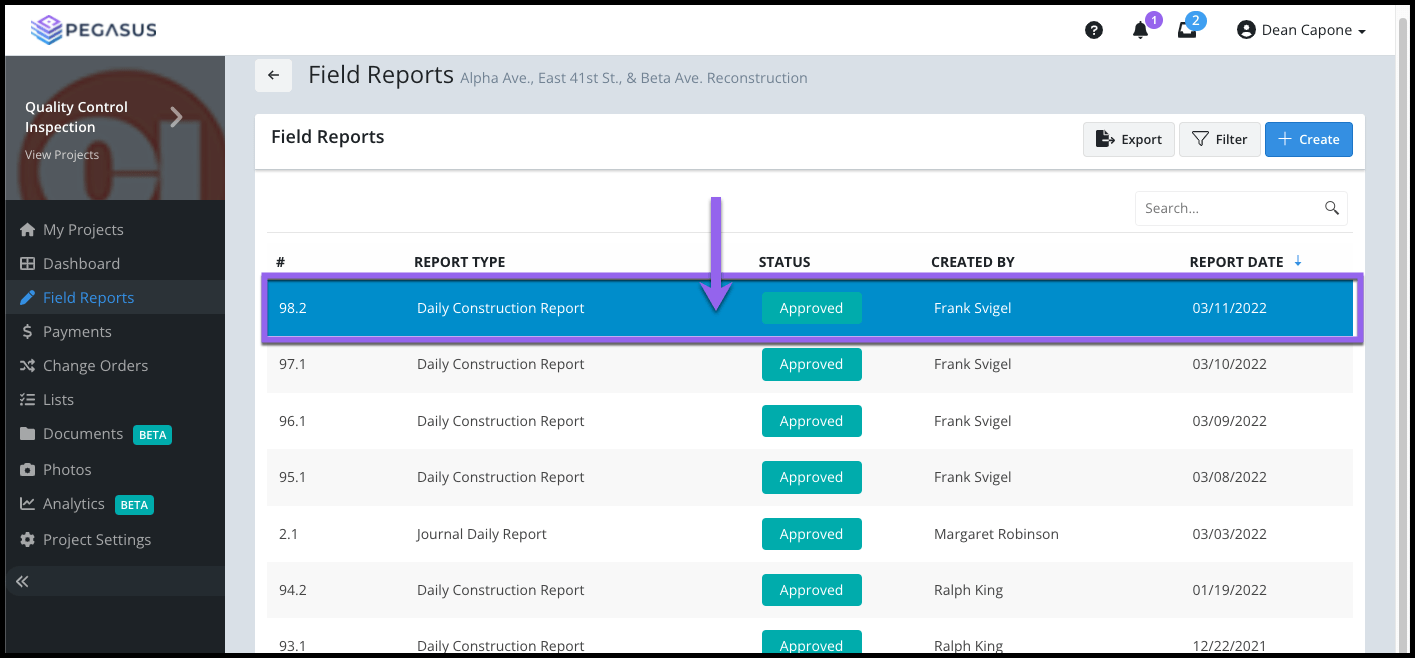
From the Field Reports page, locate and select the report you would like to Copy in the grid.

From the side blade widget select the Copy button.

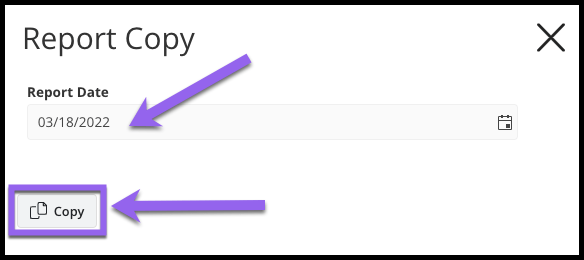
Select the new Report Date, select the Copy button.

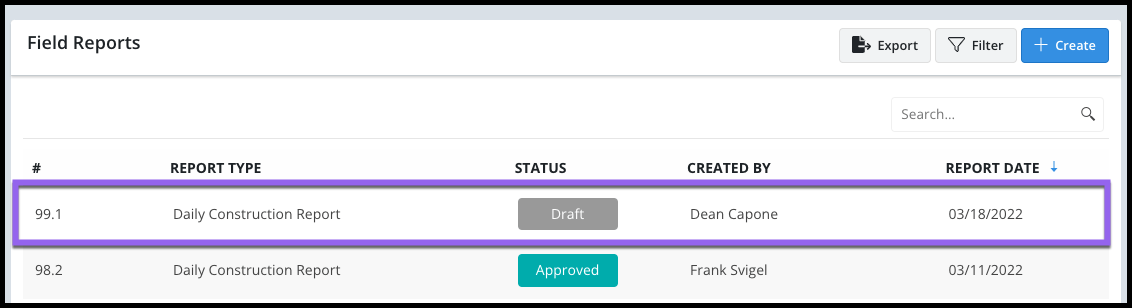
The Copied Report will now display in the grid as a Draft. Open and begin completing your Daily Construction Report. You can edit copied information as needed.
