
Copyright (c) 2023, Intercom, Inc. (
[email protected]) with Reserved Font Name "Montserrat". This Font Software is licensed under the SIL Open Font License, Version 1.1.Copyright (c) 2023, Intercom, Inc. (
[email protected]) with Reserved Font Name "Inter". This Font Software is licensed under the SIL Open Font License, Version 1.1. Table of contents Releasing Retainage in the Pay Estimate
Release Retainage withheld for a pay period
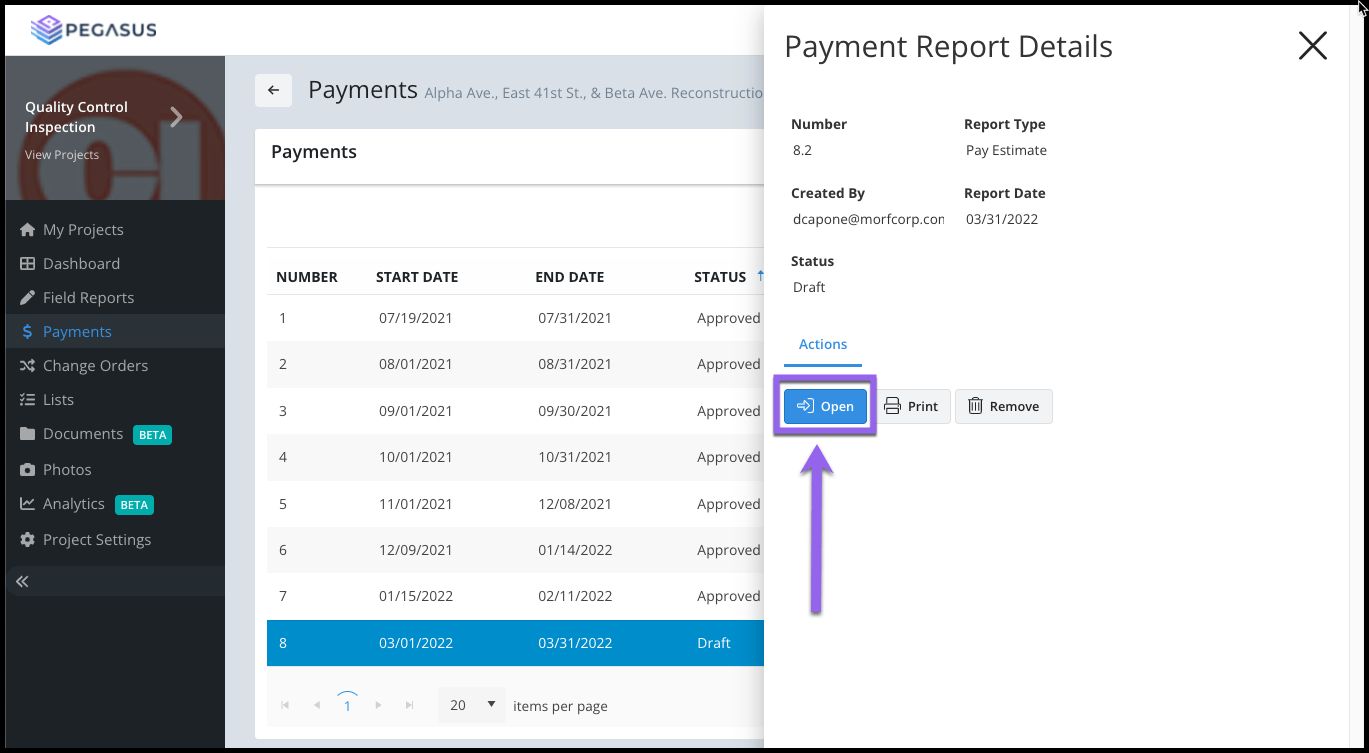
Updated over 2 years ago Table of contentsTo Release Retainage previously withheld retainage from a Payment select your Draft Payment record from the Payments grid.
Select the Open button from the side blade widget.

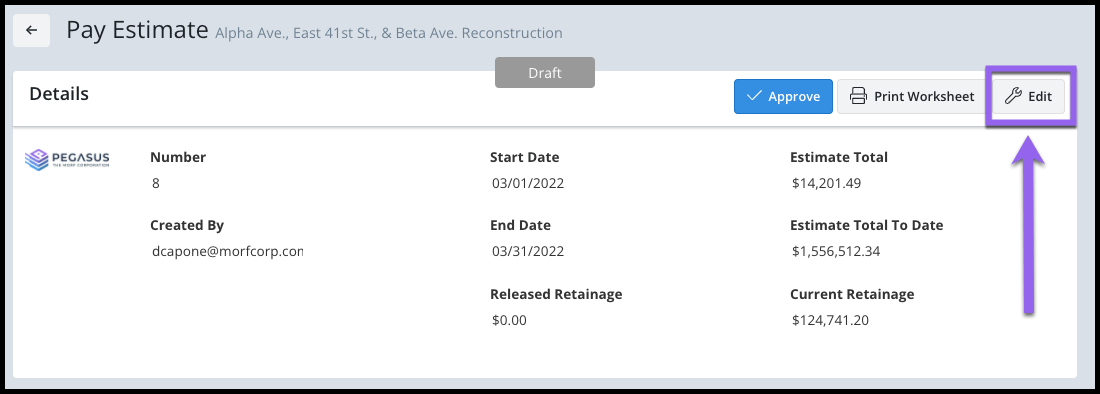
Select the Edit button from the Payment Details section.

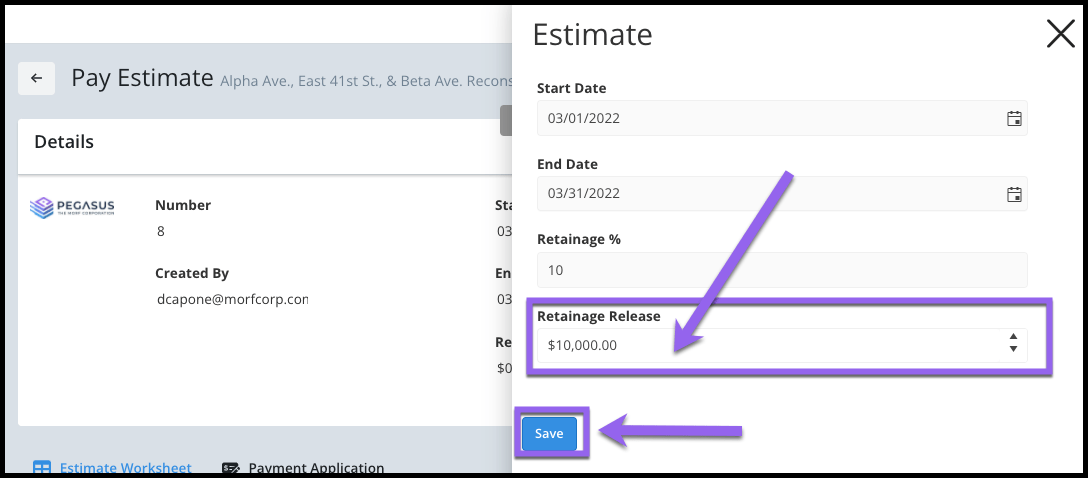
From the side blade widget, enter the Retainage Release amount (in dollars).
Select the Save button.

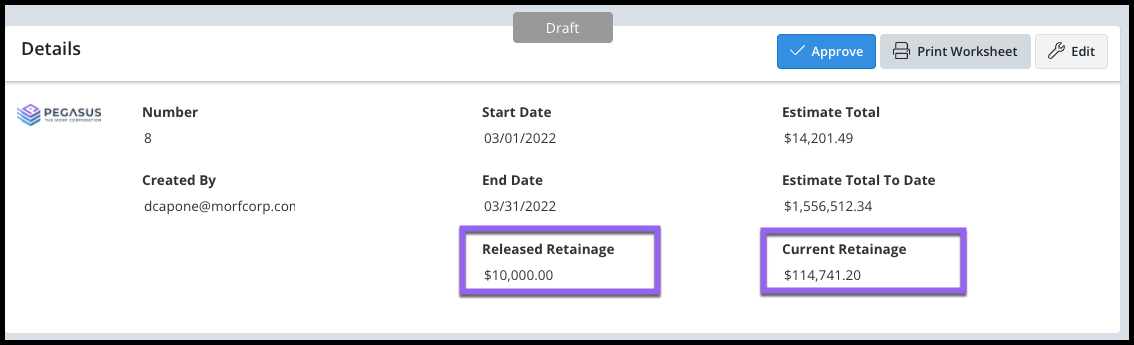
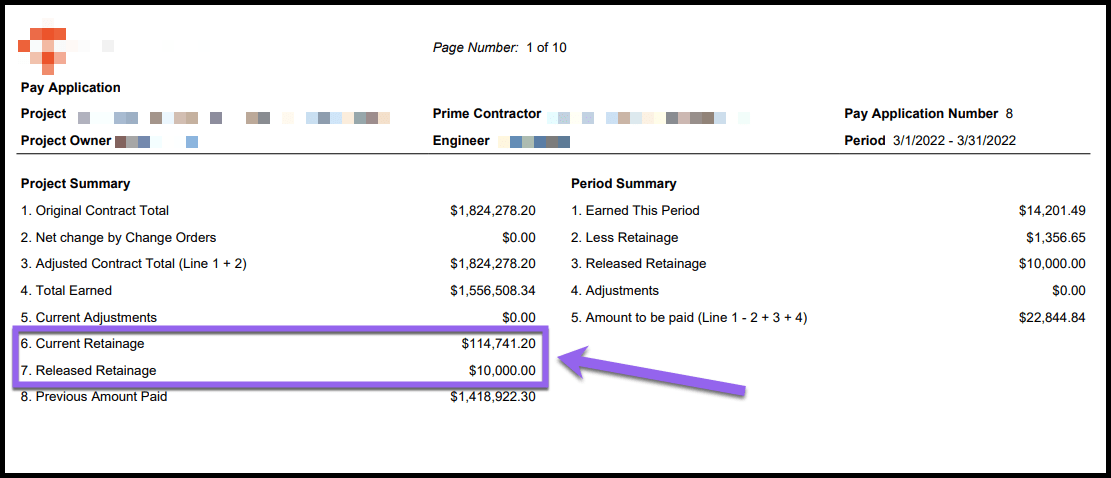
The Released Retainage amount will subtract from the total Retainage withheld amount. This can be seen in the Payment Details section.

The Released Retainage amount and the new Retainage amount will be calculated and displayed on the Pay Application PDF.
