
Copyright (c) 2023, Intercom, Inc. (
[email protected]) with Reserved Font Name "Montserrat". This Font Software is licensed under the SIL Open Font License, Version 1.1.Copyright (c) 2023, Intercom, Inc. (
[email protected]) with Reserved Font Name "Inter". This Font Software is licensed under the SIL Open Font License, Version 1.1. Table of contents Photo Information Displayed in Pegasus
Learn about the information each photo contains in the Photos page
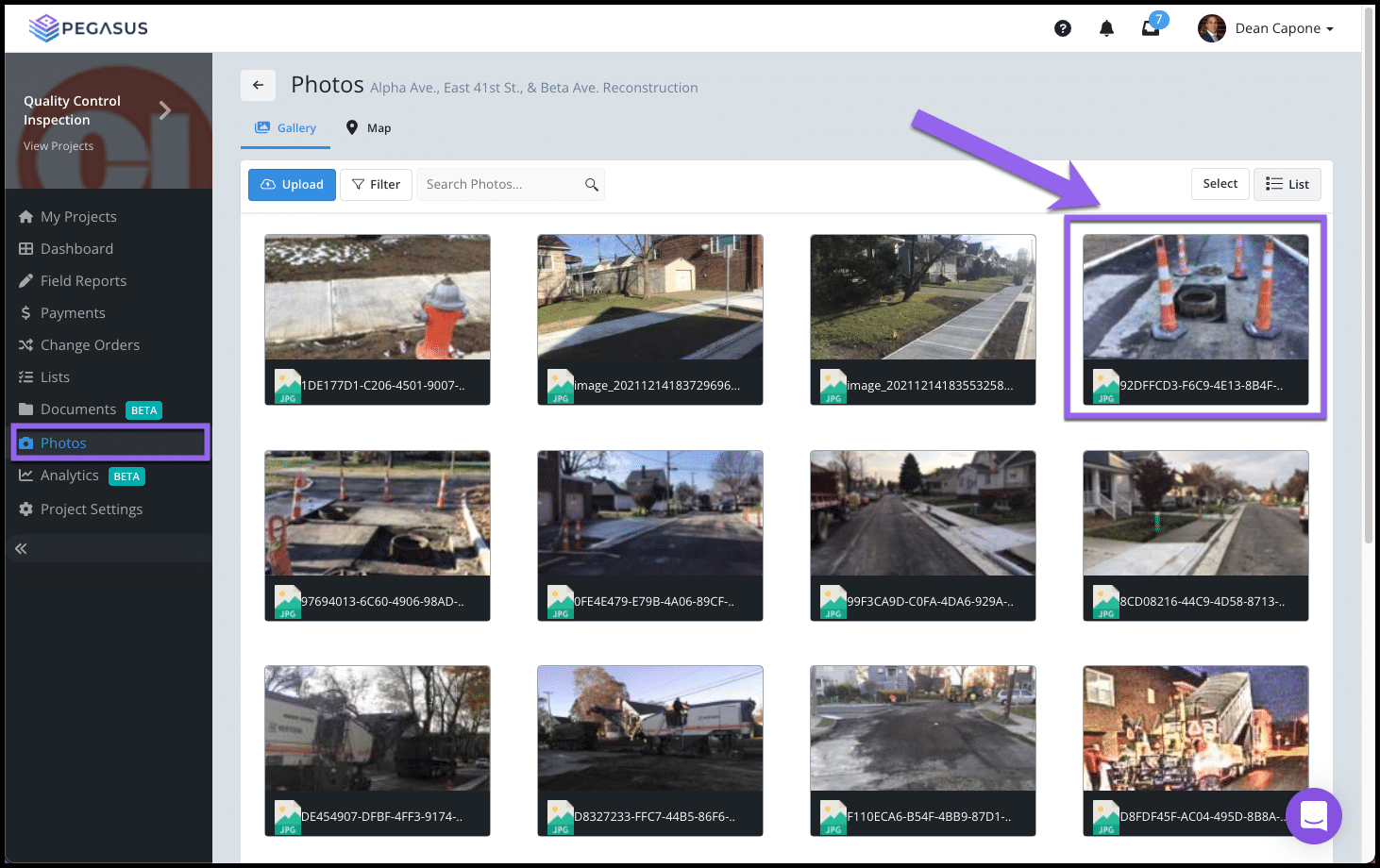
Updated over 2 years ago Table of contentsNavigate to your project's Photos page and select a thumbnail image to enlarge it.

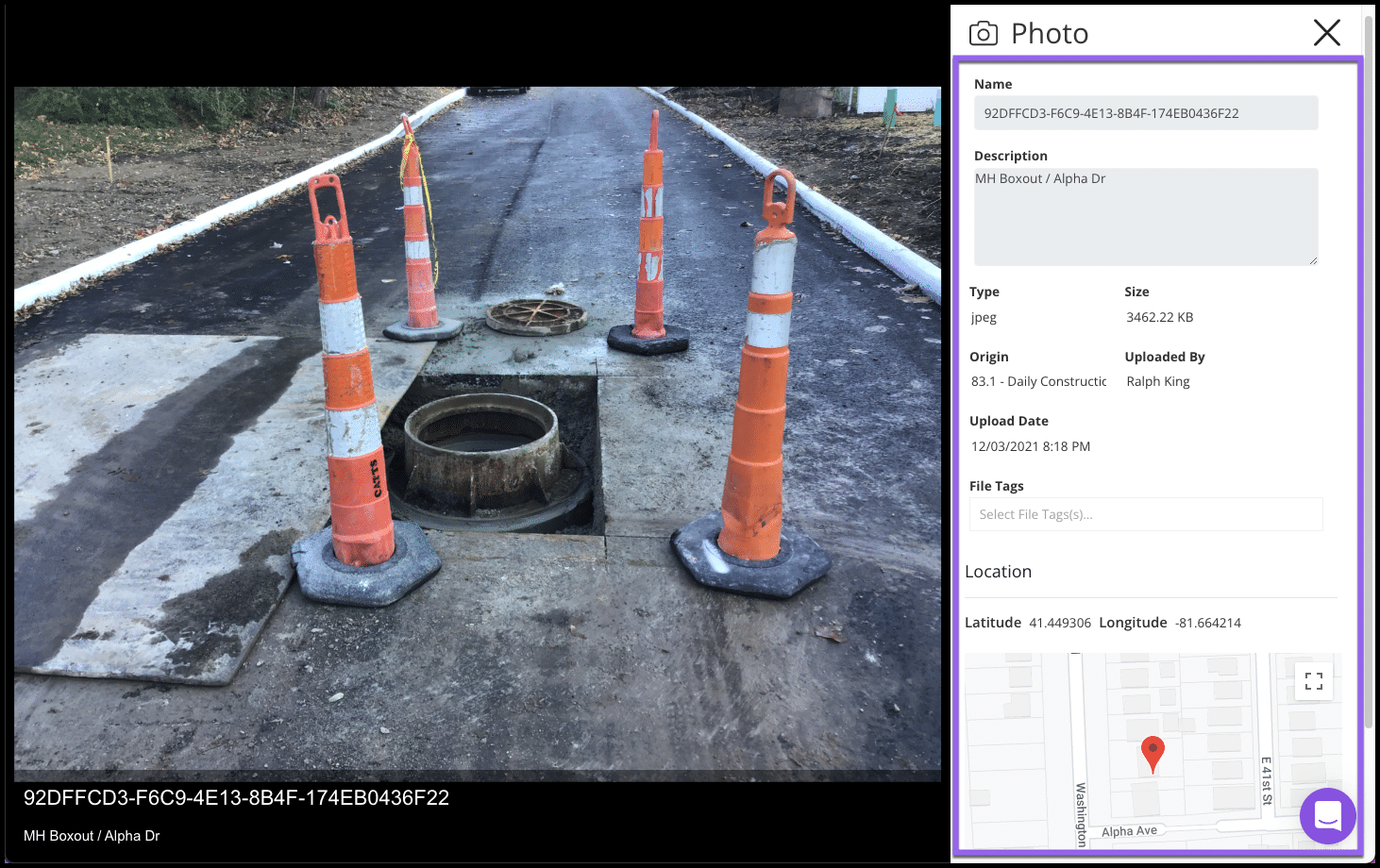
When viewing a photo from the Photos page, the image will show you information such as:
-
Photo Name
-
Description
-
Image File Type
-
File Size
-
Origin
-
Uploaded By
-
Uploaded Date & Time
-
Tags
-
Location Information
Photo Name
Description
Image File Type
File Size
Origin
Uploaded By
Uploaded Date & Time
Tags
Location Information

The Origin let's you know what report or document the Photo was attached to.
Select the X button located at the top, right corner to return to the Gallery view.