
Copyright (c) 2023, Intercom, Inc. (
[email protected]) with Reserved Font Name "Montserrat". This Font Software is licensed under the SIL Open Font License, Version 1.1.Copyright (c) 2023, Intercom, Inc. (
[email protected]) with Reserved Font Name "Inter". This Font Software is licensed under the SIL Open Font License, Version 1.1. Table of contents Project Dashboard: Contacts
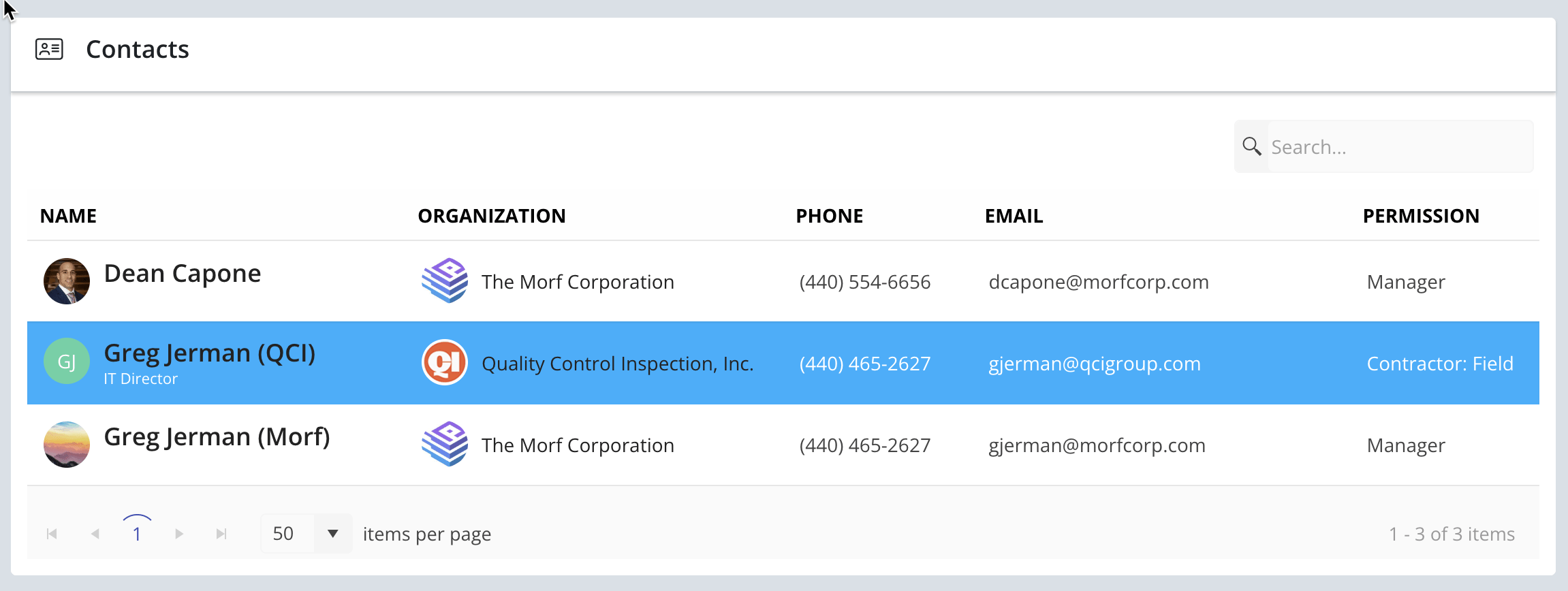
The Contacts section display all users with access to your project. Download a user's contact information from this section.
Updated over 2 months ago Table of contentsThe Contacts section on the project Dashboard page displays all users with access to that project, their contact information, and project permission set.

NOTE: This is a view only section for project users. To add/remove users from a project or change permissions for a user, navigate to the Project Settings page within your project.
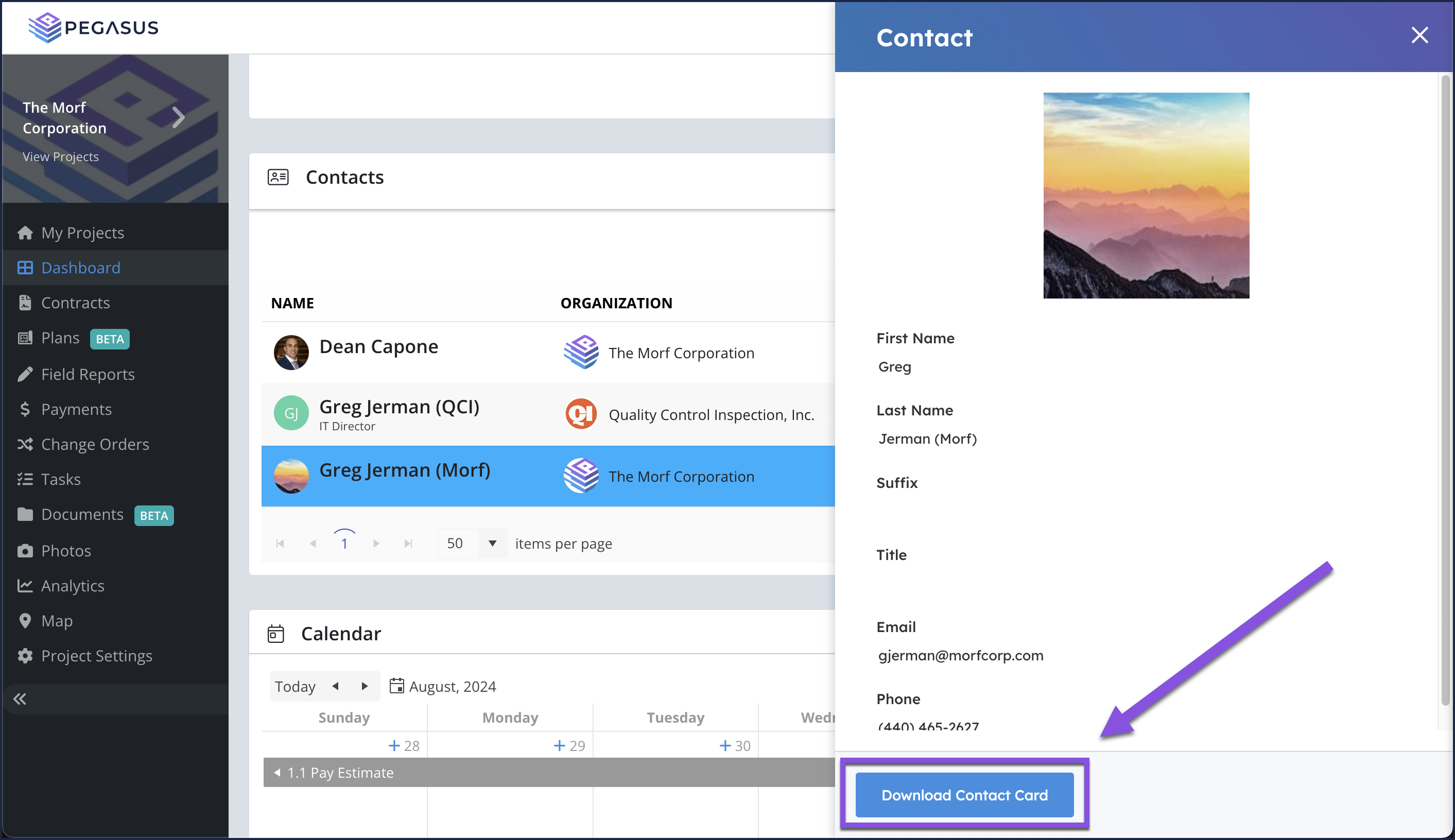
Download a user contact card
Select a user in the grid to activate the Contact side blade.

Select the Download Contact Card button, to download the user's contact card (.vcf file).
Related Articles Invite Teammates to a Project Managing Project Access & Permissions from the Admin Console Project Dashboard: Timeline Modifying User Permissions & Removing Users from Projects How to Edit Project Setup Information Did this answer your question?😞😐😃